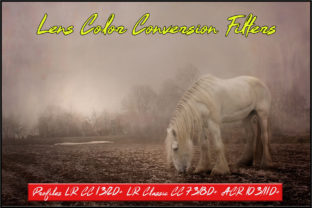
Transform Your Tones: Lens Color Conversion Filters Profiles for Adobe
Getting the perfect color temperature in post-production is one of the most critical steps in professional photography and videography. Whether you are correcting a mixed-lighting scenario in a corporate headshot or trying to pull out specific details in an astrophotography session, manual adjustments can be tedious. This is where the Lens Color Conversion Filters Profiles come into play. Designed as enhanced profiles for Adobe Lightroom CC, Lightroom Classic, and Adobe Camera RAW, these tools simulate the optical effects of traditional glass filters with high precision.
Understanding Enhanced Profiles vs. Standard Presets
It is vital to understand the technical distinction of these design assets. Unlike standard presets that simply overwrite your specific slider values (like Exposure or Contrast), these are "Enhanced Profiles." They utilize the newer profile architecture found in Adobe Lightroom CC 1.3/2.0+, Lightroom Classic 7.3/8.0+, and Adobe Camera RAW 10.3/11.0+.
The key benefit of using a premium font equivalent in the color grading world—these profiles—lies in their non-destructive nature. They apply the color conversion mathematically without destroying the data in your shadows or highlights. You can adjust the intensity of the filter using an Amount slider, giving you far more control than a binary on/off preset.
Compatibility and Workflow
Before integrating these into your workflow, you must verify your software version. These profiles are not compatible with older iterations of Lightroom (versions 1 through 7.2) or ACR below 10.3. The underlying architecture required to recreate these specific color conversions simply does not exist in older software. For those using modern Adobe Photoshop CC 2018 v19.1.3 or 2019 v20.0 and later, integration is seamless. Once installed, these profiles appear in your Profile Browser, ready to be applied to your brand identity shoots or personal projects.
Practical Applications: From Studio Tungsten to Deep Space
The true value of the Lens Color Conversion Filters Profiles lies in their ability to solve specific lighting problems. In the world of editorial design and photography, consistency is king. If you are shooting a series of images for a web design project or packaging design, you need the colors to match perfectly across different environments.
The 80 Series: Correcting Artificial Light
If you are a content creator or marketer shooting product photography indoors, you likely deal with tungsten lighting. Shooting with daylight-balanced film (or digital sensors set to Daylight WB) under tungsten light results in a heavy, unappealing orange cast.
- Wratten 80A: This is the digital equivalent of a deep blue filter. It is the industry standard for converting the color temperature to match daylight film when shooting indoors with tungsten lighting. It effectively cools the image down, restoring neutral whites without the harsh artifacts of aggressive white balance sliders.
- Wratten 80B: Specifically designed for photo flood lamps, this filter balances the scene perfectly. For entrepreneurs filming video content or bloggers taking photos in a home studio with continuous lighting, this profile ensures skin tones look natural rather than yellow.
The 85 Series: Warming Up the Scene
Conversely, the 85 series is designed for creative font and color usage where warmth is required. These are color conversion filters intended for use with tungsten-type films in daylight.
The Wratten 85C is particularly effective. It decreases the color temperature from 5500°K to 3800°K. In practical terms, this warms up the image significantly. For graphic designers working on lifestyle imagery or social media graphics that require a "golden hour" aesthetic, applying the 85C profile can instantly transform a flat, midday image into something with emotional resonance. It mimics the effect of daylight films used in daylight, creating a pleasing, nostalgic tone.
Niche Utility: Astrophotography and Planetary Detail
Beyond standard portrait and product photography, these profiles serve highly specialized design assets for hobbyists and scientific enthusiasts. In astrophotography, color filtering is not just about aesthetics; it is about data separation.
The Wratten 80A is renowned as a magnificent all-round filter for planetary observation. When processing images of Jupiter and Saturn, contrast is often lost in the atmospheric haze. Applying this profile enhances the contrast of festoons and cloud belts on planets like Jupiter. It helps crafters and visual artists isolate specific wavelength data, allowing for sharper, more defined images of celestial bodies. It brings out the "personality" of the planet by suppressing unwanted light pollution frequencies.
Integrating Profiles into Your Brand Identity
For designers and publishers, consistency in imagery defines the brand identity. Using the Lens Color Conversion Filters Profiles allows you to create a repeatable style. Imagine a travel blog where every indoor market photo has the cool, crisp correction of the 80A, while every outdoor landscape has the warm, inviting glow of the 85 series.
This consistency builds audience recognition. When a viewer sees your social media graphics, they recognize the color grading immediately. It acts as a visual signature, much like a chosen serif font or sans serif font acts for your typography.
Evaluating Project Fit and Readability
When applying these strong color conversions, always consider the impact on visual hierarchy. A heavy blue cast (80A) can make skin tones look unflattering if not dialed back, while a heavy warm cast (85C) can make whites look dirty.
Use the "Amount" slider provided in the enhanced profile to dial in the effect. For packaging design, you might want a subtle hint of the filter to set the mood without distorting the product color. For artistic logo design backgrounds, you might push it to 100% for a stylized look. The goal is to enhance the image's personality while maintaining the readability of the subject.
By leveraging these modern profiles, you move beyond simple editing and into the realm of color science. Whether you are fixing a mistake in-camera or intentionally crafting a mood for a commercial font campaign, the Lens Color Conversion Filters Profiles