Transform Your Visuals: The Power of 10 Color Sweet Presets and LUTs
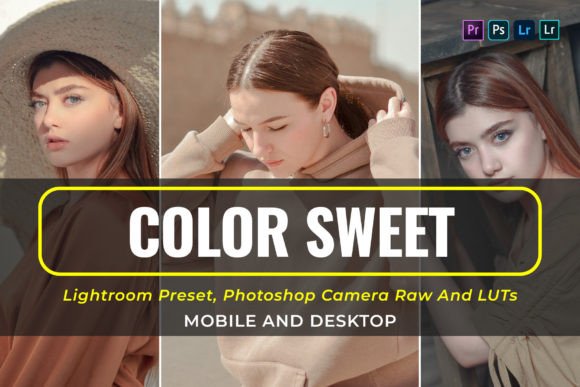
In the current digital landscape, visual consistency is the currency of brand recognition. Whether you are a photographer editing a wedding portfolio, a content creator filming travel vlogs, or a small business owner designing Instagram ads, the aesthetic quality of your imagery dictates how your audience perceives your professionalism. This is where high-quality design assets, specifically color grading tools, become essential. The 10 Color Sweet Presets and LUTs package is designed to bridge the gap between raw footage and a polished, professional look, offering a cohesive visual style that works across both photography and videography.
Understanding the Aesthetic: What Makes This Pack Unique?
Unlike generic filters that simply overlay a tint, the 10 Color Sweet Presets and LUTs are engineered to manipulate tone curves, color calibration, and split toning to create a specific atmosphere. The "Sweet" nomenclature refers to a visual style characterized by soft highlights, slightly desaturated mid-tones, and warm, creamy skin tones. It avoids the harsh, crushed blacks found in cinematic presets, opting instead for a brighter, more airy approach. This makes it an ideal premium font equivalent in the world of color grading—elevating the base material without overwhelming the subject.
The visual personality of these presets leans toward modern minimalism mixed with organic warmth. You will notice that greens and teals are shifted toward softer sage or cyan tones, while oranges and reds are smoothed to eliminate distracting blemishes. This creates a harmonious brand identity that feels approachable and authentic. For the designer or marketer, this translates to imagery that feels "lived-in" and real, rather than overly processed or synthetic.
Technical Specifications and Compatibility
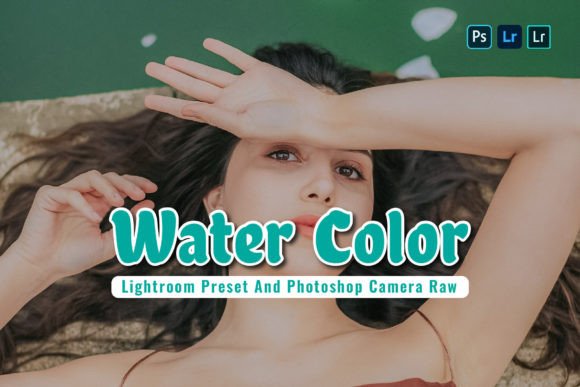
One of the strongest advantages of this collection is its universality. It is not limited to one device or operating system. The package includes 10 Desktop Lightroom Presets (.XMP) for professional photographers working on Mac or Windows, and 10 Mobile Lightroom Presets (.DNG) for influencers and entrepreneurs managing content on the go via iOS or Android.
For video editors, the inclusion of 10 LUTs for Premiere Pro, After Effects (.Cube) ensures that your video content matches your static imagery. This is crucial for maintaining brand identity across different media types. The compatibility extends to industry-standard software including DaVinci Resolve, Final Cut Pro X, Adobe Speedgrade, and LumaFusion. Whether you are using Adobe Camera Raw or Adobe Photoshop CC, these assets integrate seamlessly into your existing workflow.
Practical Applications: From Branding to Editorial Design
The versatility of the 10 Color Sweet Presets and LUTs allows them to function across a wide array of projects. In editorial design and packaging design, consistent color grading helps unify disparate product shots into a cohesive catalog. Imagine a bakery owner photographing their pastries; using these presets ensures that the croissant in the foreground shares the same color temperature as the coffee in the background, creating a unified visual narrative.
For social media graphics and web design, these tools are invaluable for creating a scrolling experience that feels curated. A feed that utilizes consistent color grading signals reliability to the viewer. It acts as a visual anchor, much like a well-chosen sans serif font or display font anchors a layout. When a potential customer visits your profile, the immediate recognition of your color palette increases engagement and trust.
Furthermore, these presets are particularly effective for lifestyle and portrait photography. Because the grading favors soft light and skin tone preservation, it is an excellent choice for wedding photographers, family bloggers, and fashion influencers. It provides that sought-after "film look" without the technical complexity of manual color grading, saving you hours in post-production.
Integrating Color Grading with Typography and Layout
Color does not exist in a vacuum; it interacts with your modern typography and layout choices. When using the 10 Color Sweet Presets and LUTs, consider how your text overlays will read against the graded image. Because these presets tend to brighten shadows and soften contrast, you may need to adjust your text placement or add subtle drop shadows to ensure readability.
For instance, if you are using a handwritten font or script font for a logo design overlay, ensure that the background image has been graded to a slightly darker or more neutral tone where the text sits. The "Sweet" aesthetic works beautifully with serif font pairings for a classic, editorial look, or with bold sans serif font types for a clean, contemporary vibe. The goal is to create a visual hierarchy where the color grading supports the message rather than competing with it.
Evaluating Project Fit and Workflow
Before applying these assets to a commercial project, it is wise to test them on a variety of source images. The 10 Color Sweet Presets and LUTs perform best on images with natural light, but they are robust enough to handle mixed lighting situations as well. When evaluating fit for your project, consider the "mood" you wish to evoke. If your brand strategy relies on high-energy, neon, or cyberpunk aesthetics, a "Sweet" preset might not align with your goals. However, for brands focusing on wellness, nature, lifestyle, or luxury, these assets are a perfect match.
Practical usage tips include:
- Adjusting Opacity: Rarely should a preset be applied at 100% opacity. Treat it as a starting point. Lower the intensity to 60-80% to let the original image details shine through.
- White Balance Correction: Always correct your white balance before applying the preset. The 10 Color Sweet Presets are designed to modify color, not fix incorrect lighting temperatures.
- Exposure Compensation: Depending on your camera's sensor, you may need to tweak the exposure slider after applying the look. A "Sweet" look often requires slightly brighter exposure to achieve that airy feel.
The Value of Included Design Assets
The package comes with a User Guide (.ZIP), which is often overlooked but is a critical resource for maximizing the value of your purchase. This guide typically contains installation instructions, troubleshooting tips, and recommended settings for different lighting conditions. Having a commercial font license or asset license is also vital for business owners; ensuring that your design assets are cleared for commercial use protects your brand legally and professionally.
By incorporating the 10 Color Sweet Presets and LUTs into your toolkit, you are not just buying filters; you are investing in efficiency. You reduce the time spent in Adobe Premiere Pro or Lightroom Classic CC, allowing you to focus on the creative aspects of your business, such as logo design